Kolabo:
HRM, Accounting, CRM & Project Management

Boost Team Productivity and Company Performance with Kolabo — an all-in-one solution for HRM, Accounting, CRM & Project Management.

*Try it free in seconds — no hassle, no subscription commitment!
What is Kolabo?

The Most Secure HRM, Accounting, CRM & Team Collaboration Software

A complete HRM suite integrated with Accounting, CRM, and Project Management — stop using multiple apps!

HRM | Accounting | CRM | Attendance | Payroll | Task Management | Personal & Group Chat | Leave & Reimbursements | Savings & Loans | Kolabo Forms | Kolabo Meet | Kolabo AI | Kolabo Terminal | Kolabo Cloud | Reporting

Only IDR 500k/month for one company — and you get everything?

4 Apps / Software in One with Kolabo!
How is that possible?

Tired of paying for multiple tools to run your business? HRM? Accounting? CRM? Project Management? Storage? And more — Kolabo gives you everything for just IDR 500k/month!

Struggling to manage employees? Lack of discipline? No time to monitor work progress? Kolabo is highly reliable to manage your company and boost your business productivity. Kolabo supports every division—from Directors, Management, HR, Finance, to Staff—and fits all business sizes from SMEs to large enterprises with thousands of employees. And that’s not all—Kolabo comes with many more features.

Key Features

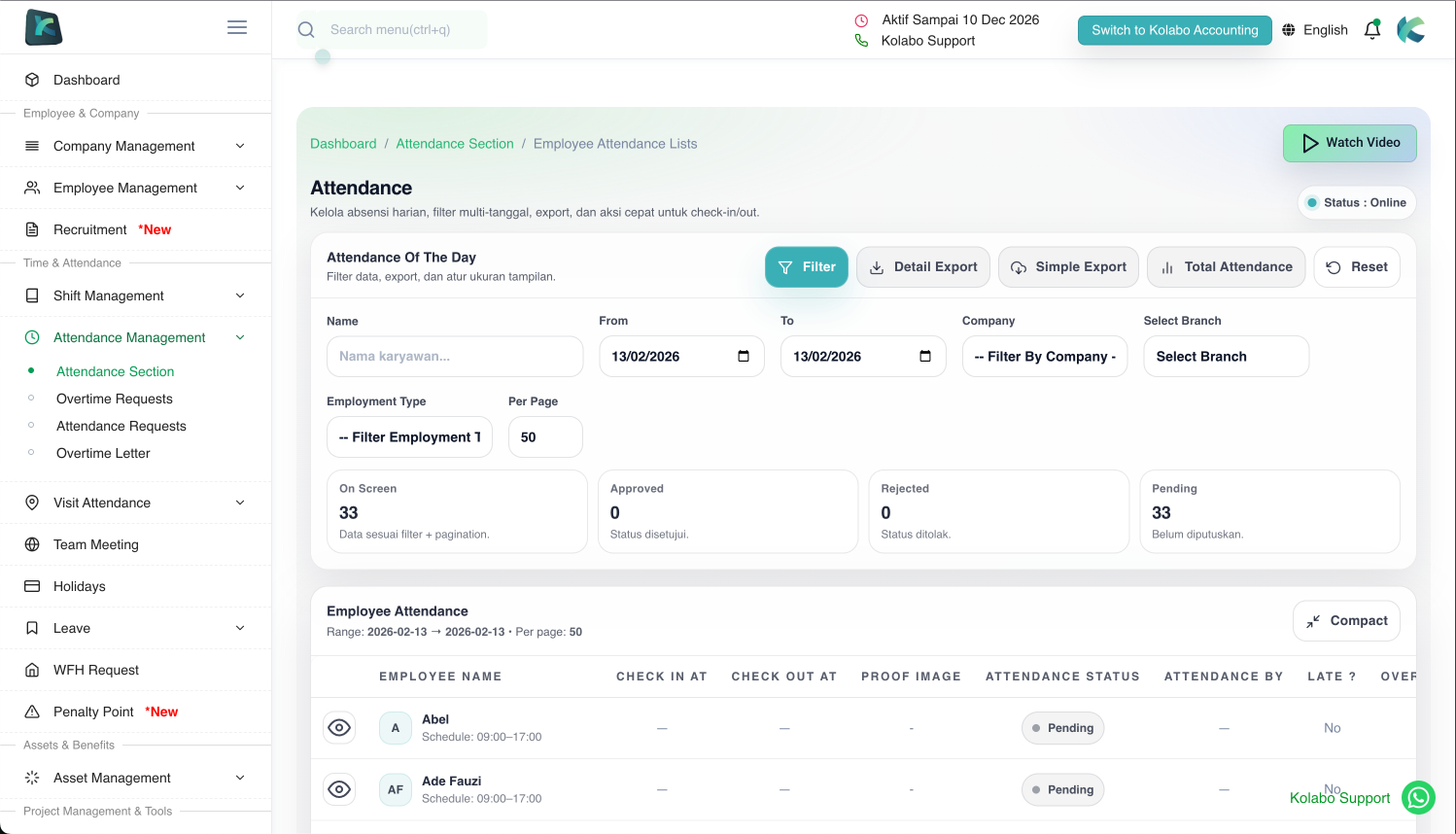
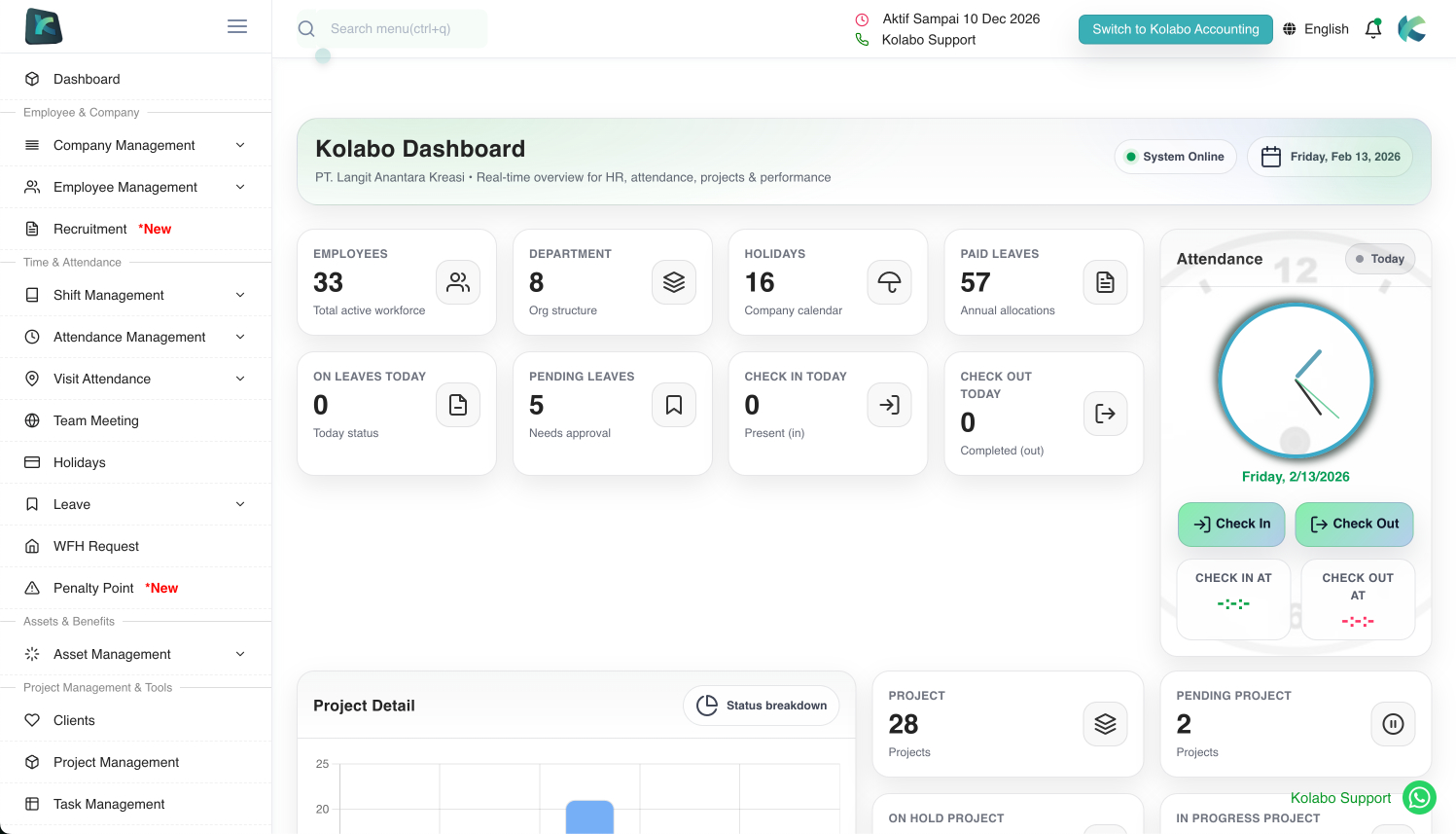
Smart Attendance System

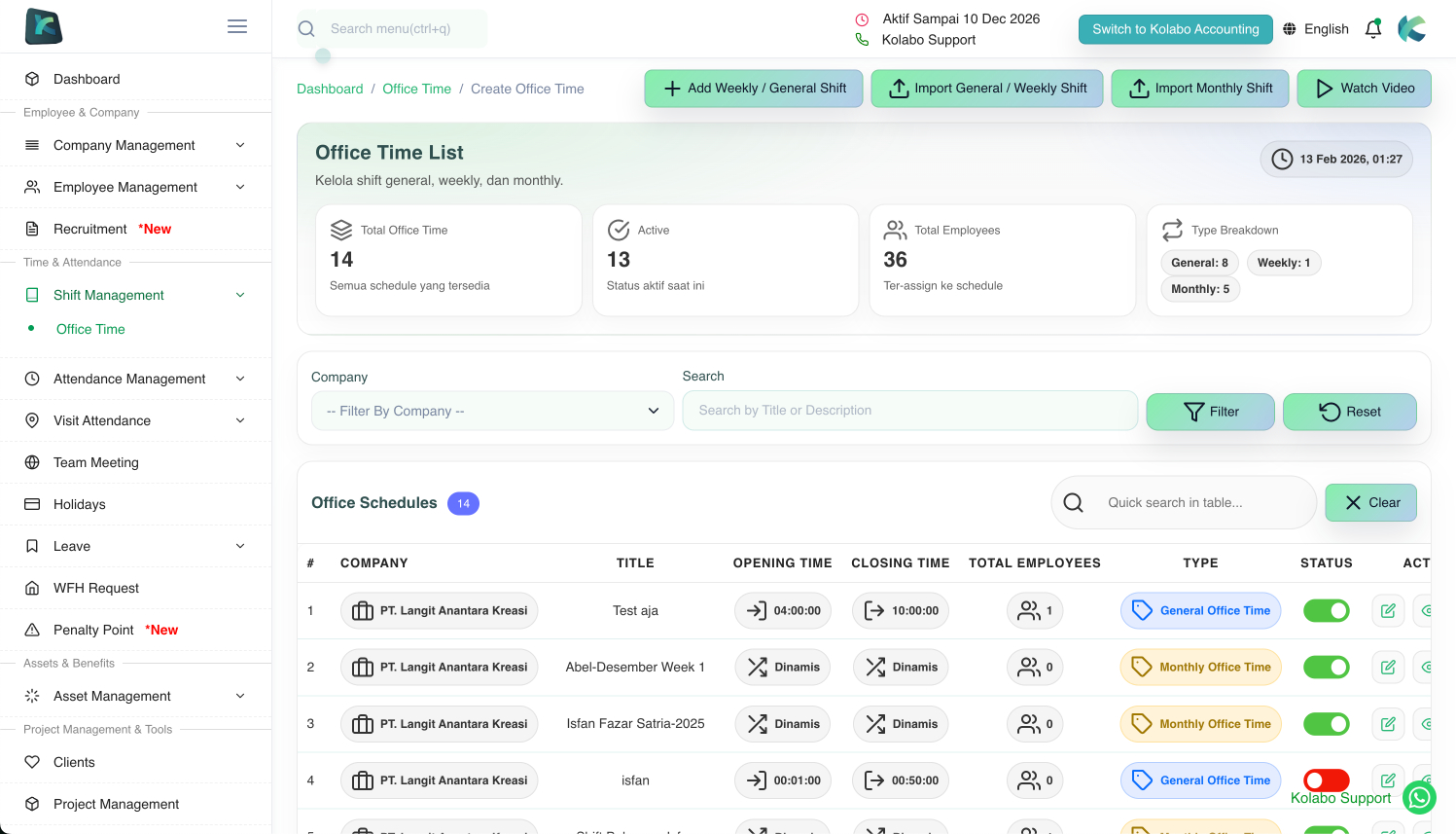
Attendance via smartphone or web using location and office Wi-Fi, with shift & department management. Also supports WFH/WFA, field visits, overtime, and lateness tracking.

Kolabo E-Recruitment

This module helps HR manage openings on your company’s job portal, candidates, and the hiring process from start to onboarding.

Kolabo Accounting

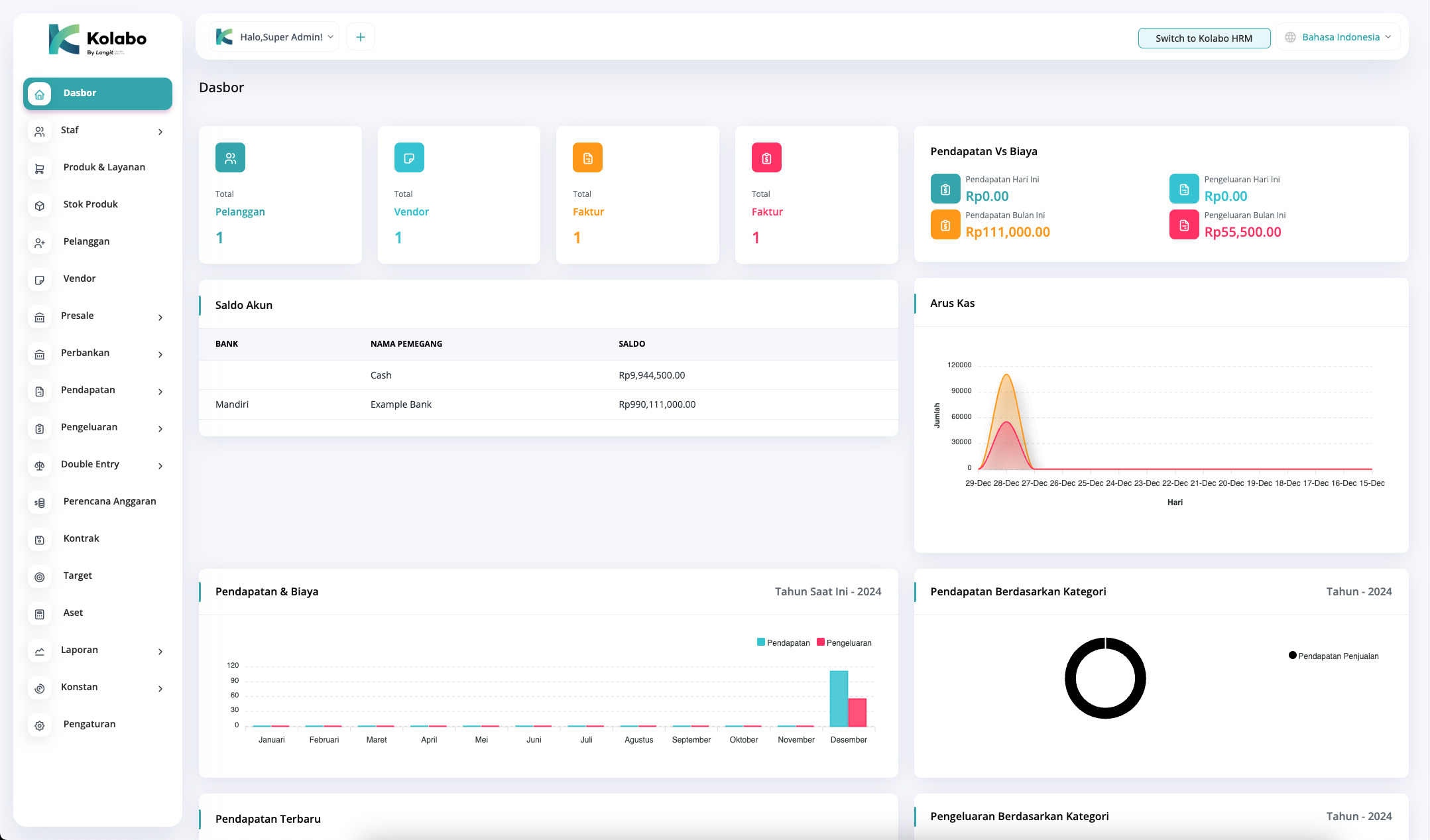
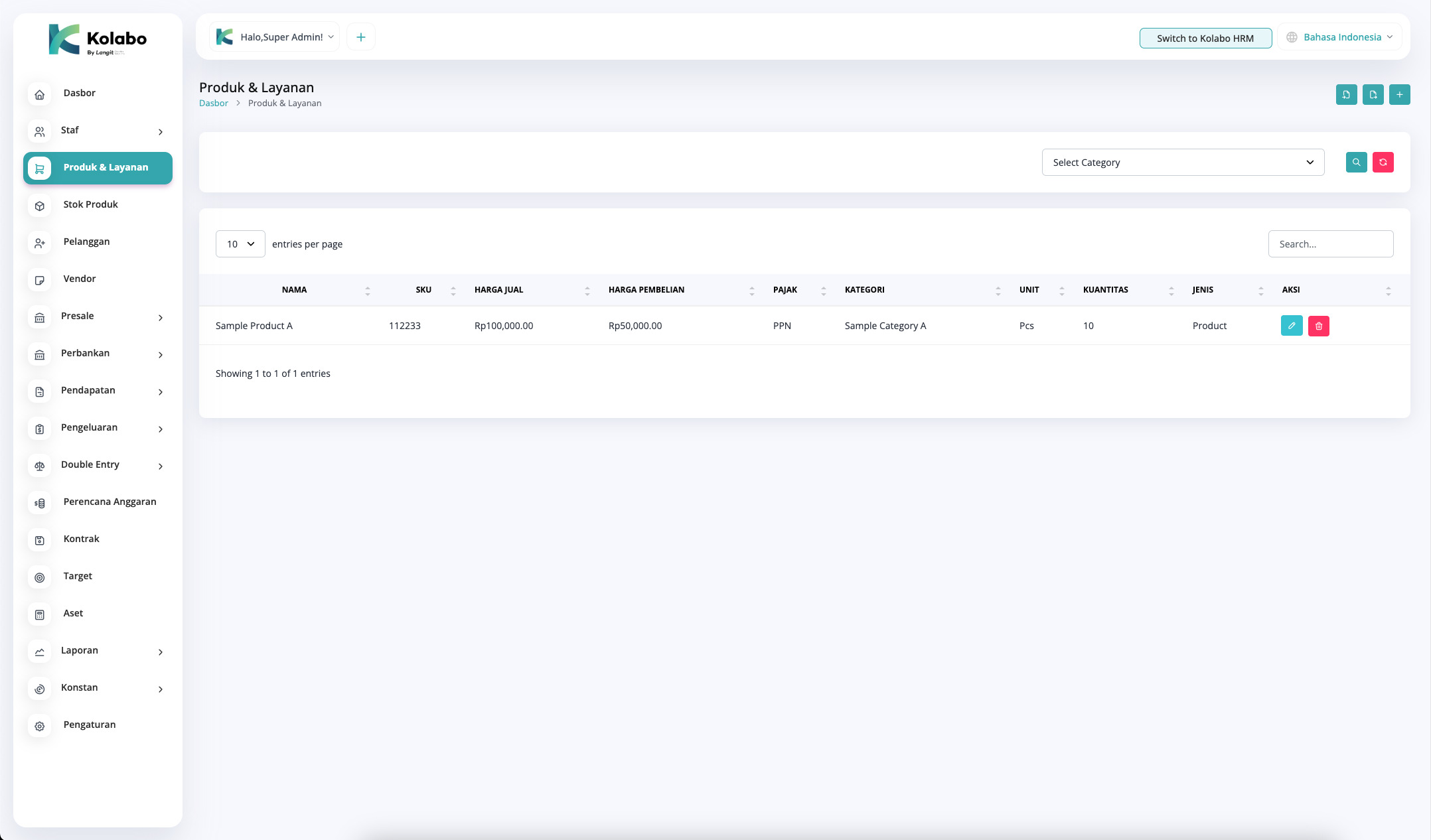
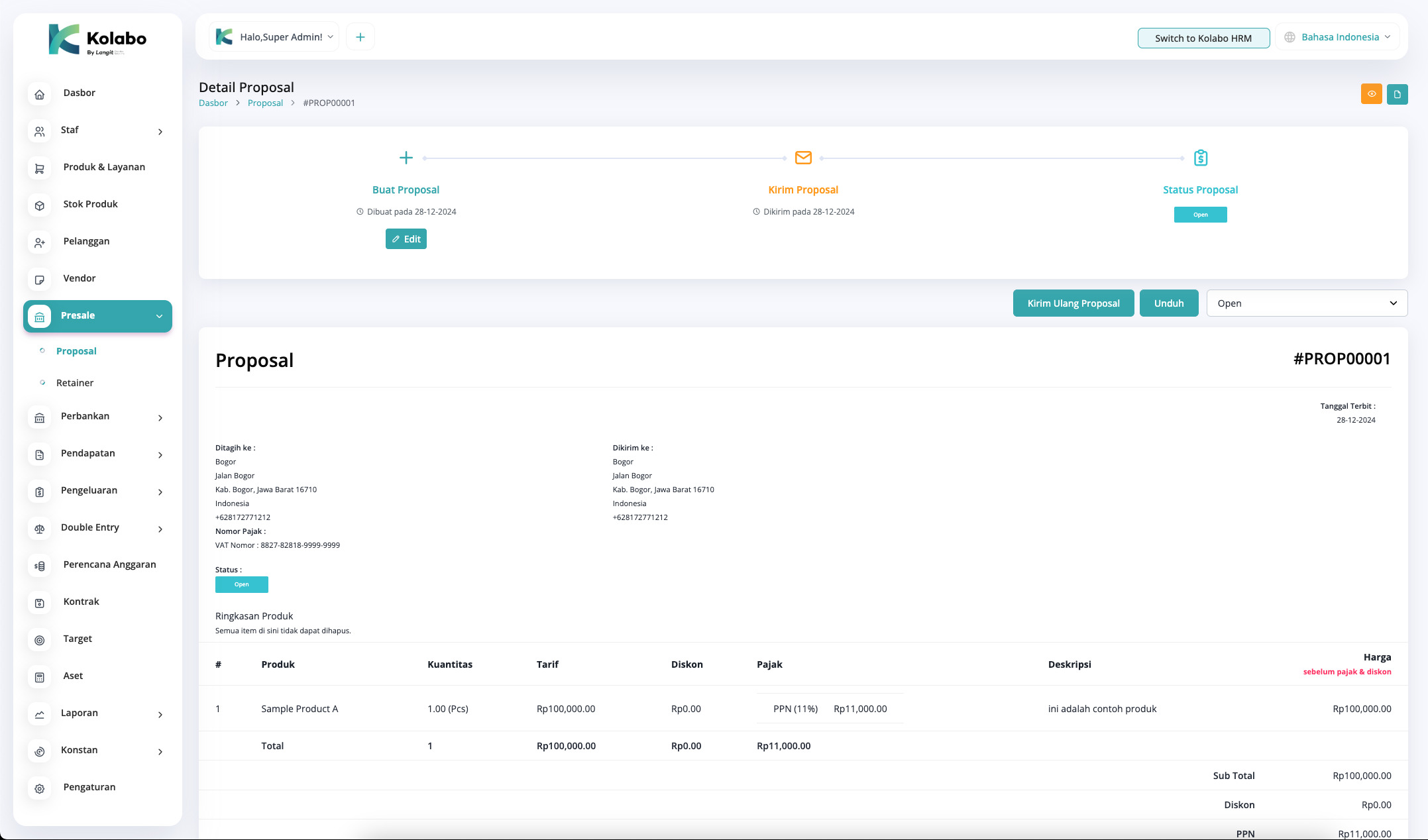
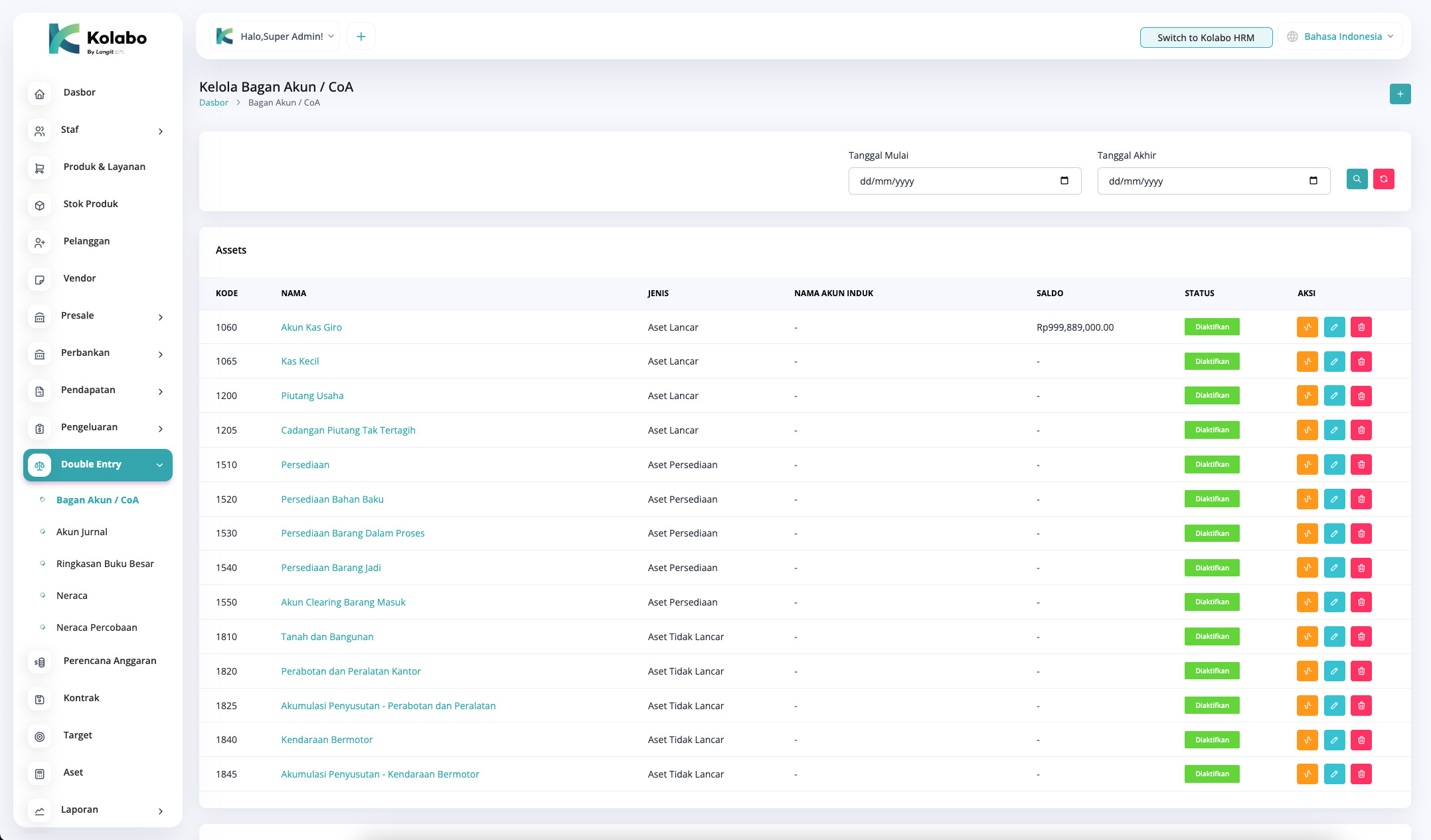
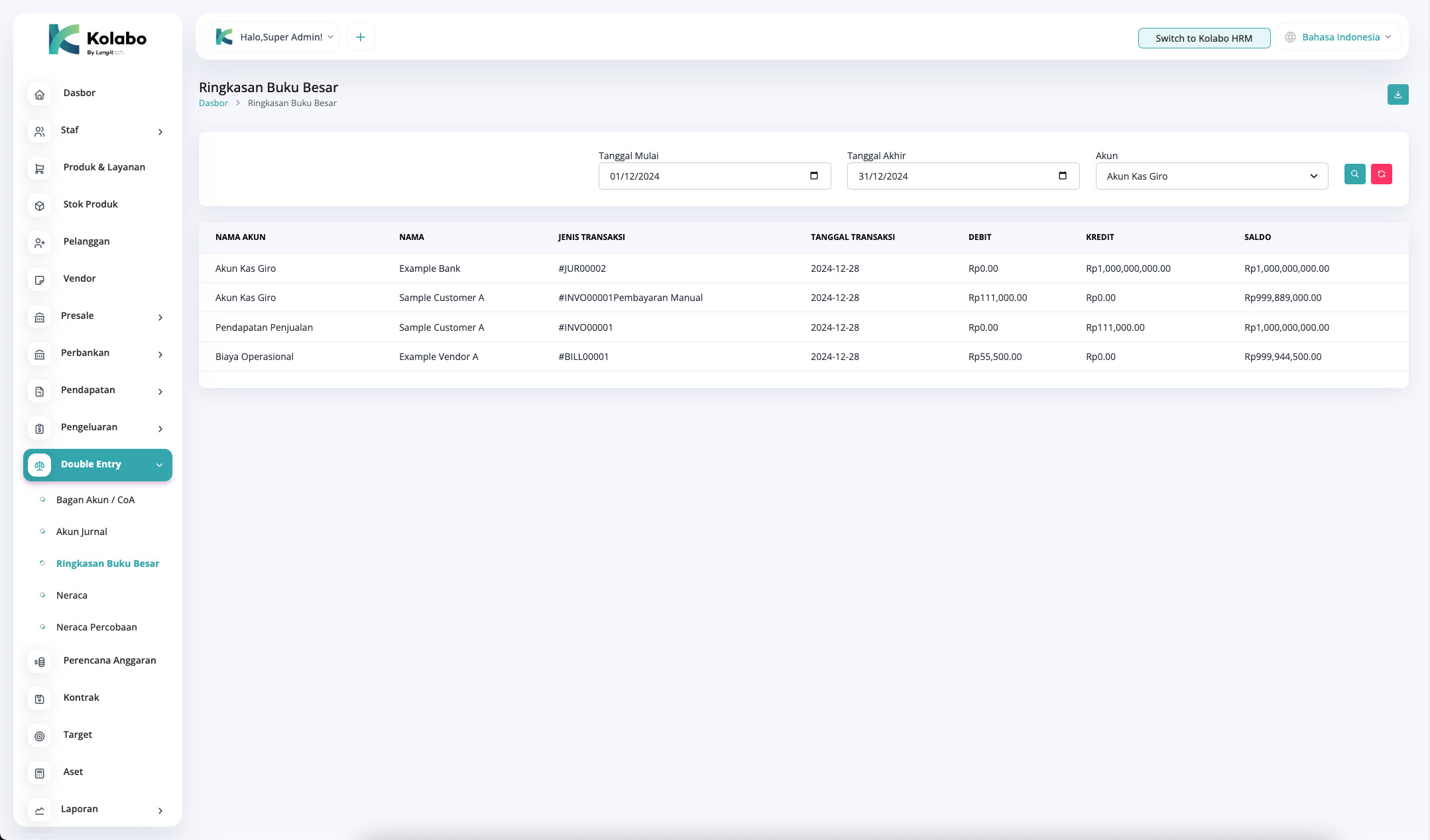
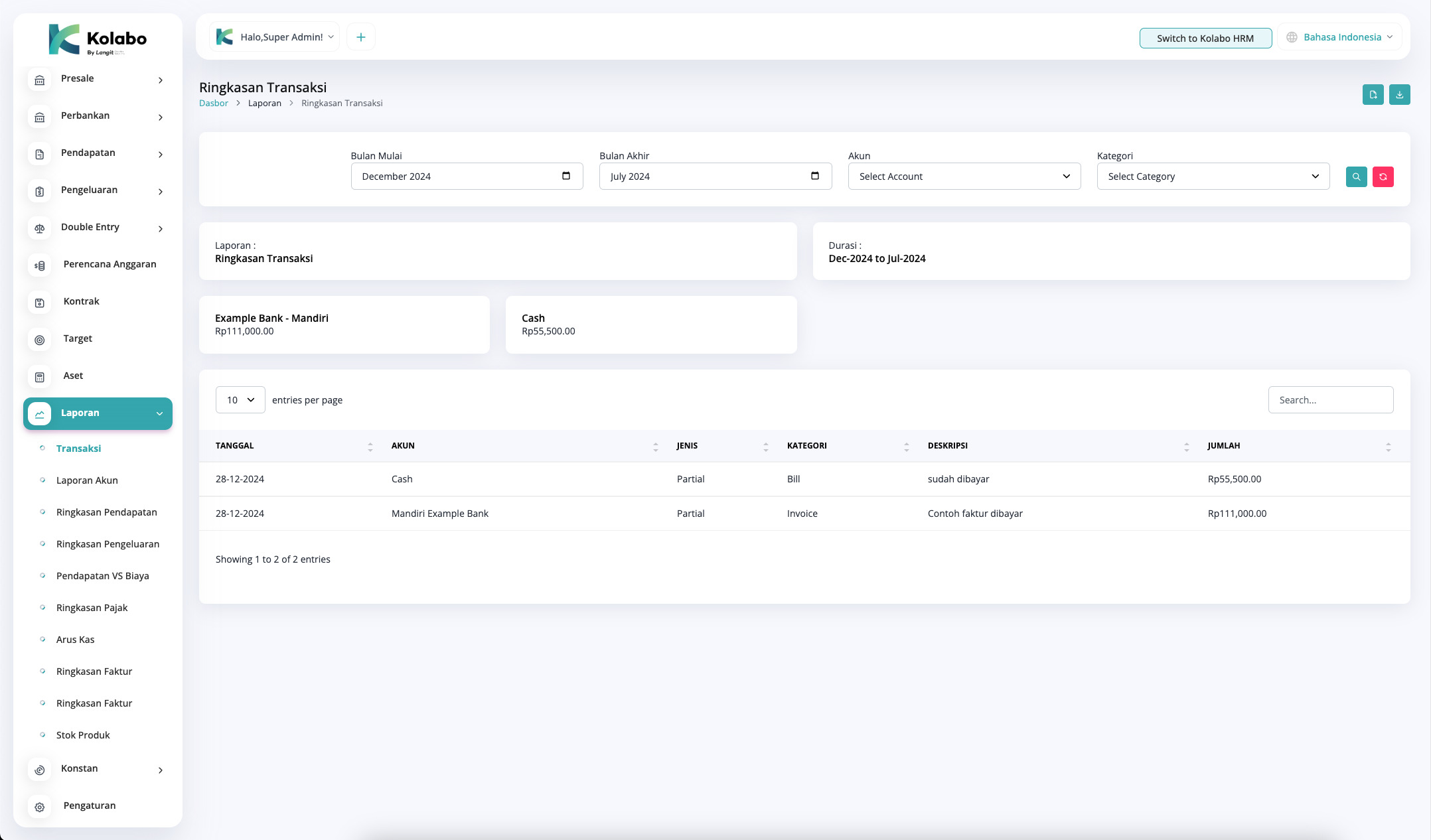
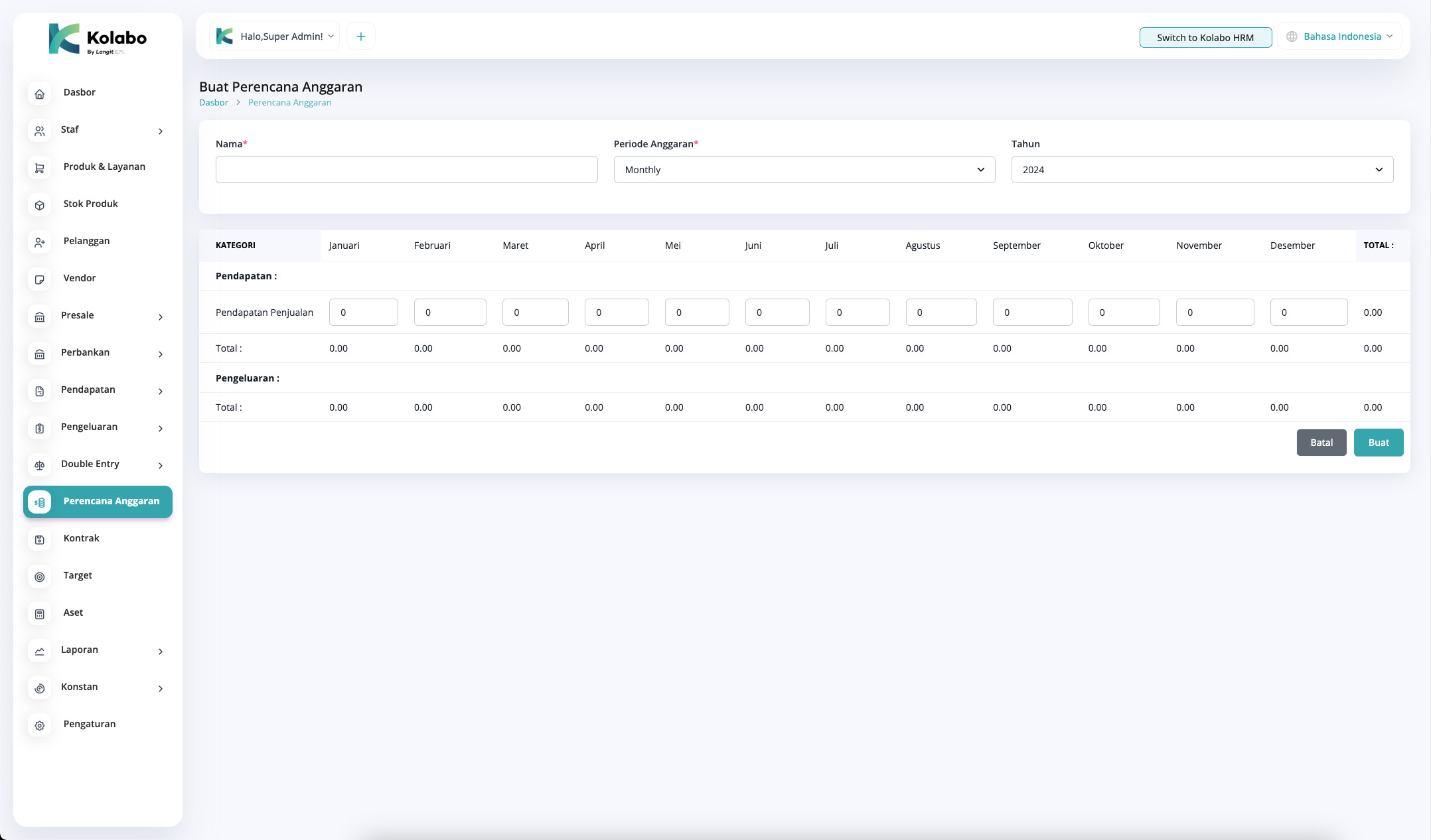
Transactions, general ledger, financial statements, taxes, reconciliation, invoicing, payables/receivables, budgeting, assets, reports, and more.

Internal Company Management

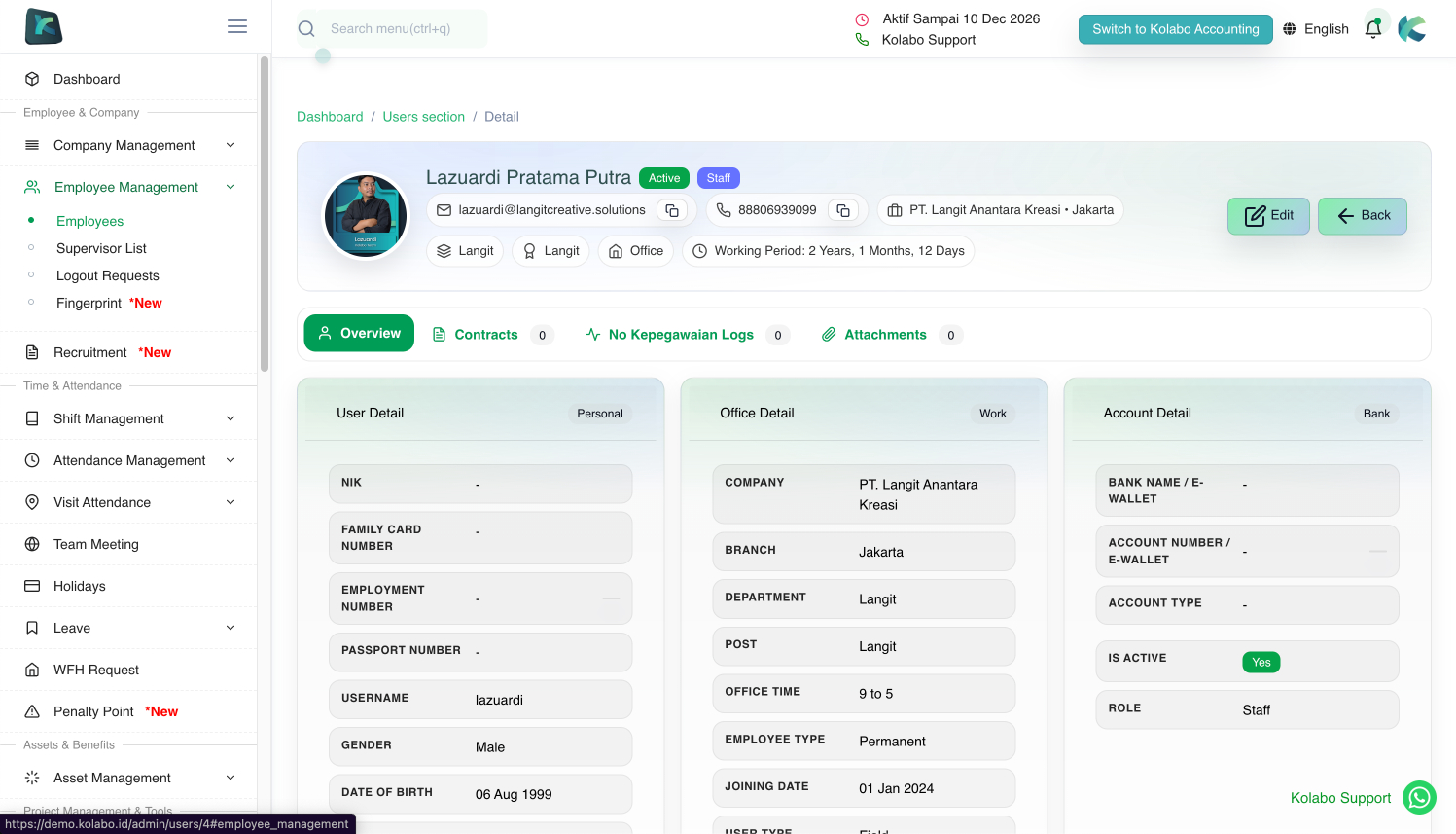
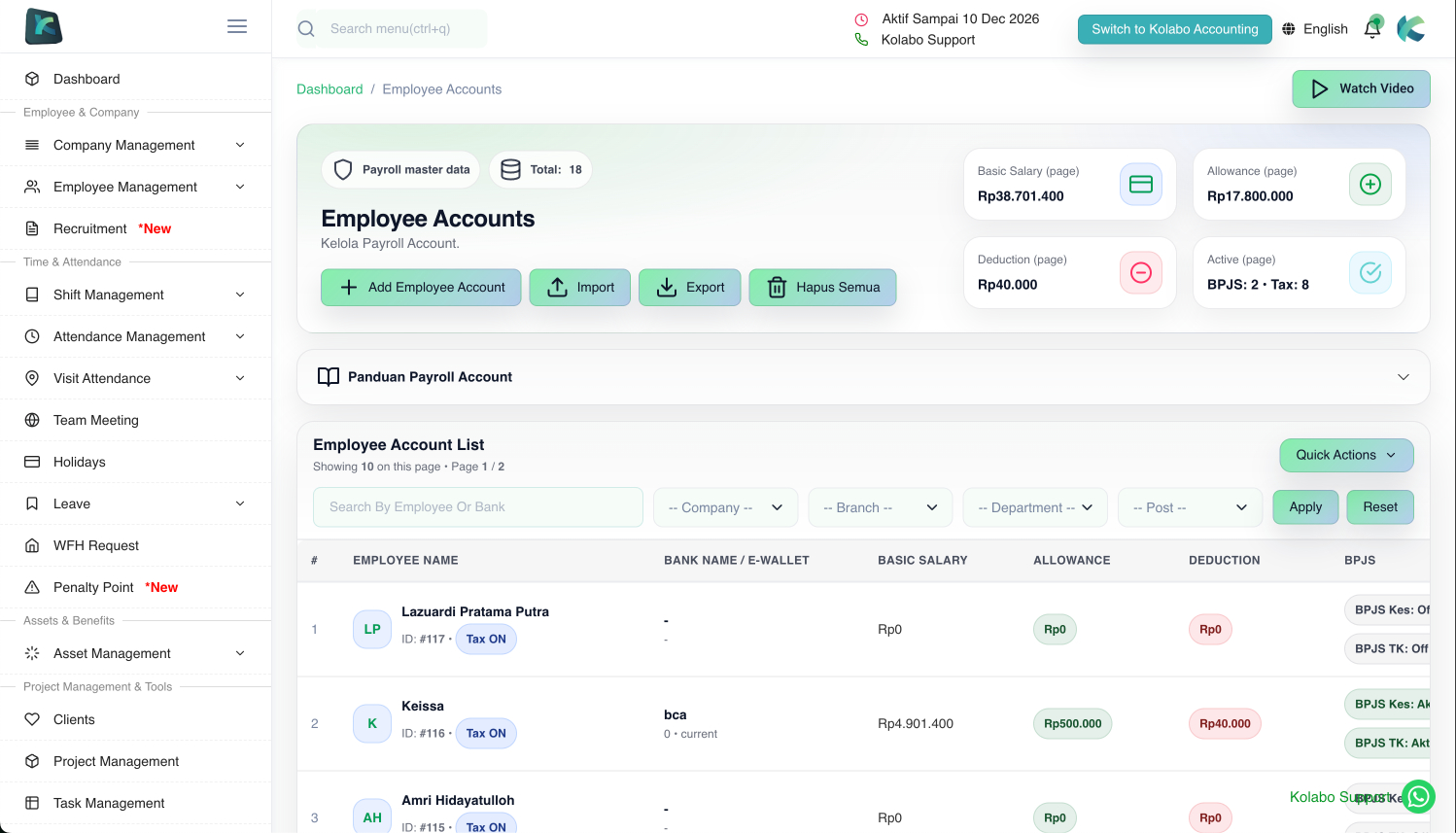
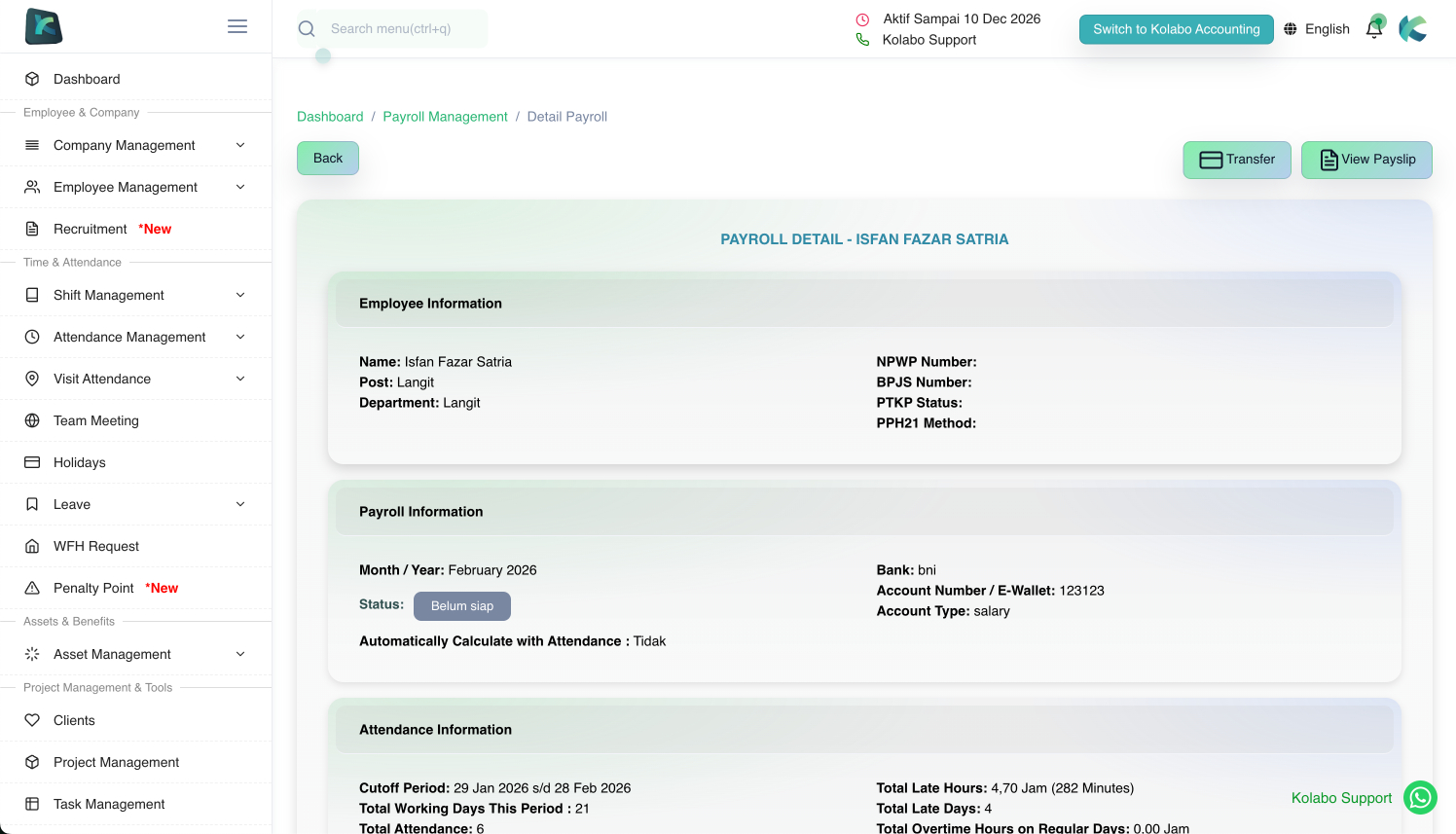
Team & employee management, payroll, leave/permissions, departments, divisions, shifts, holidays, and announcements.

Personal / Team Chat

Private and secure chat built with messaging, video, voice notes, files, images, plus voice & video calls.

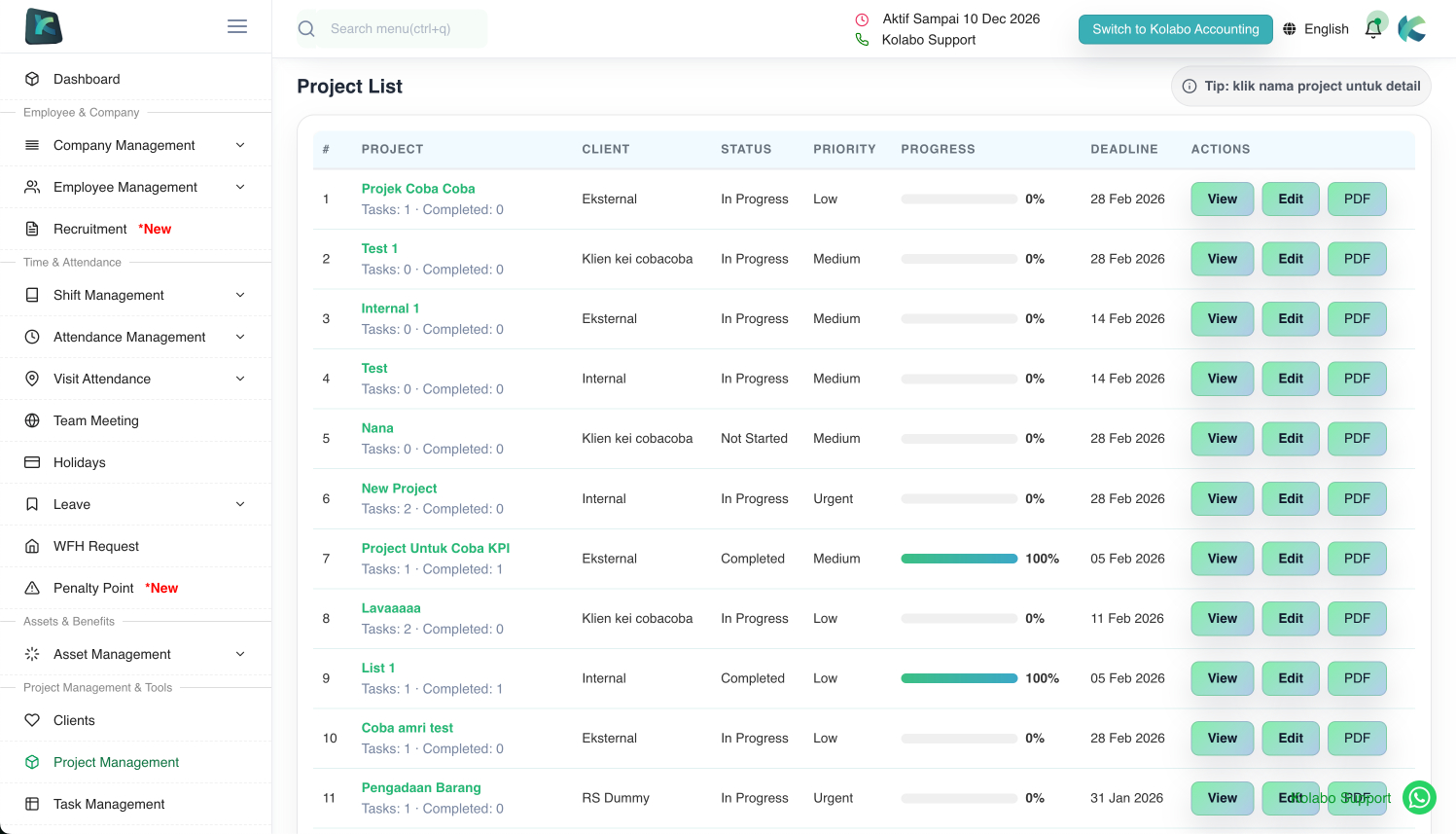
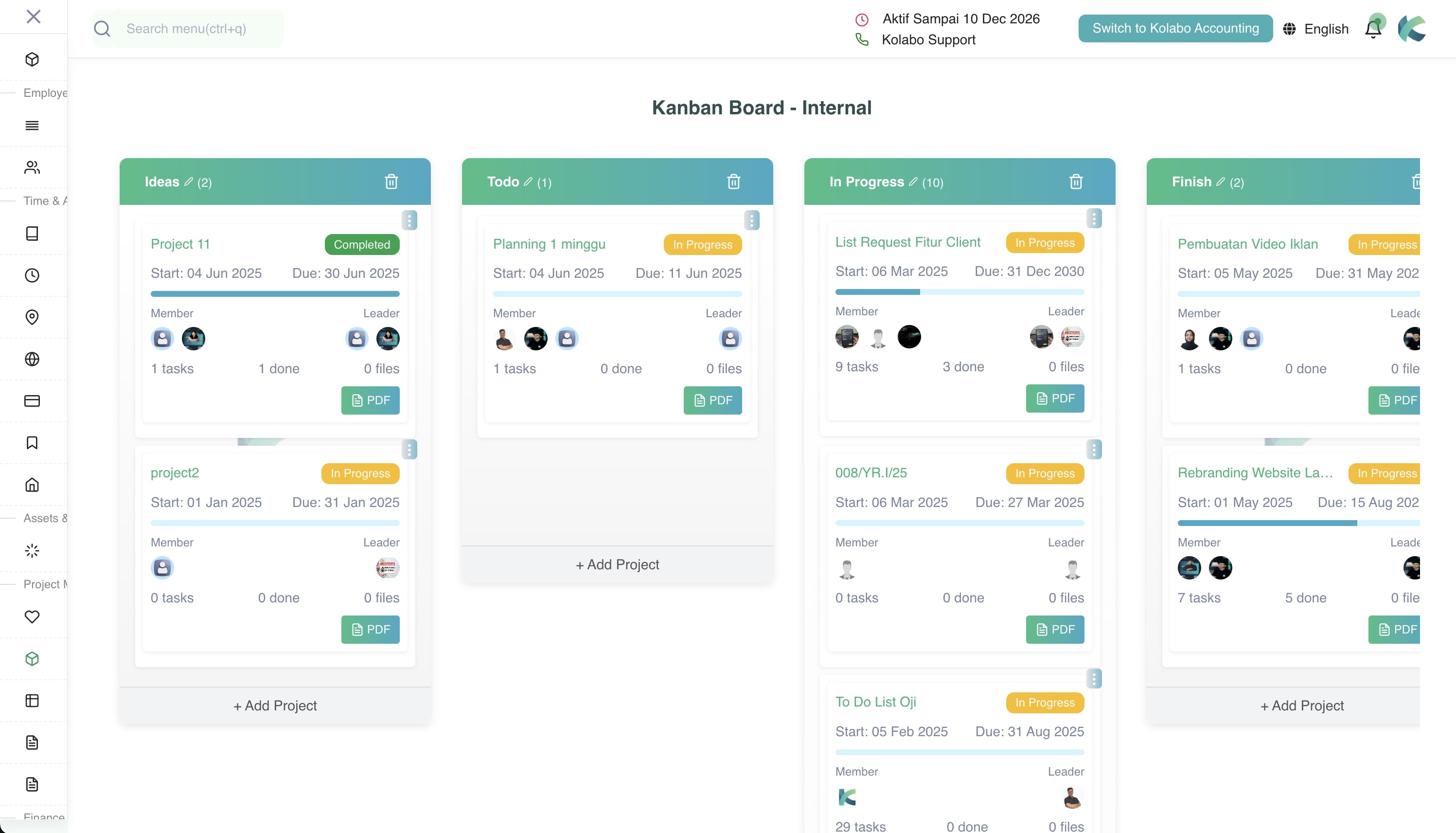
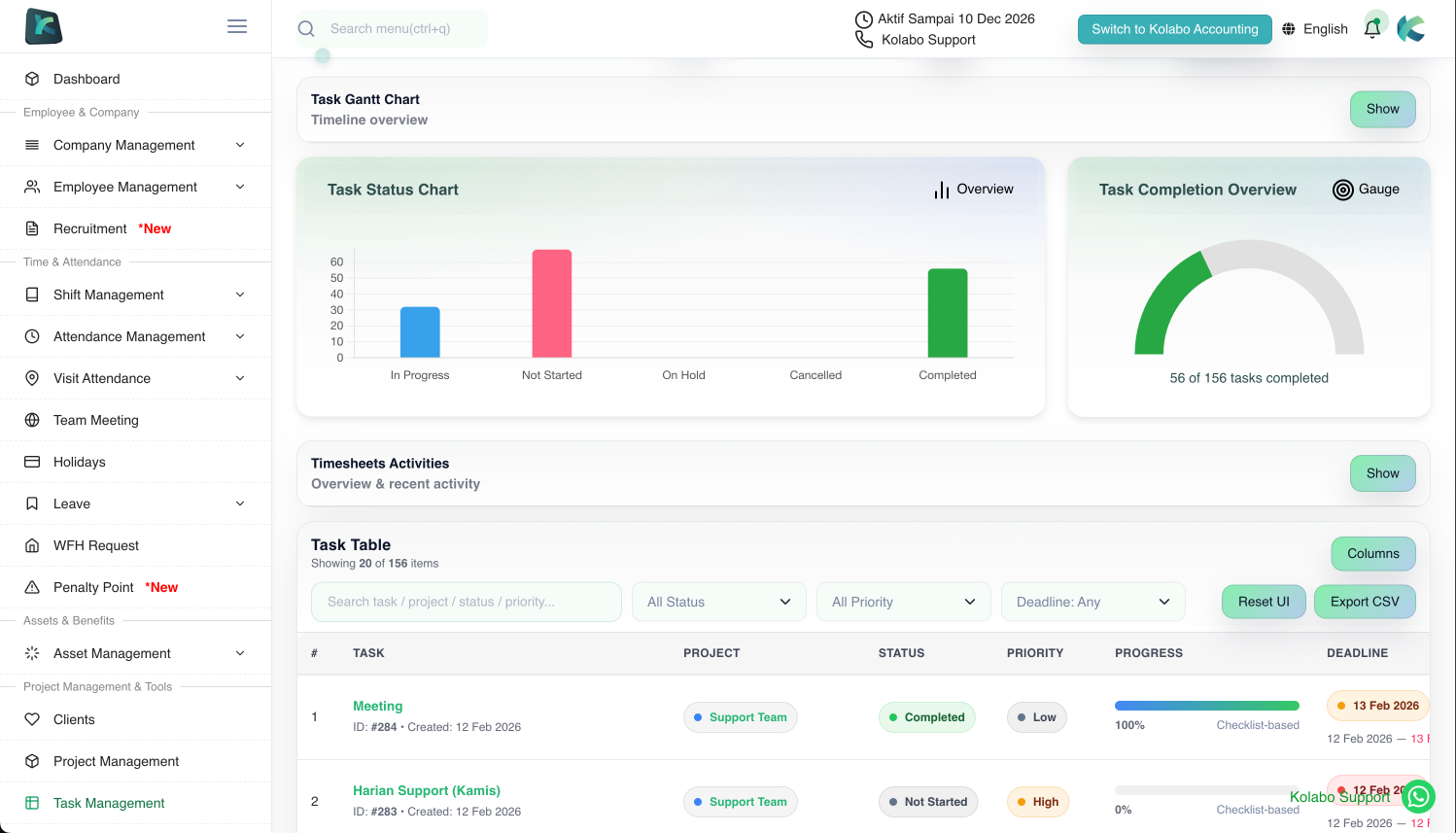
Project & Task Management / Kanban Board

Tasks and checklists for teams, with file attachments and comments—making monitoring effective, on-time delivery easier, and productivity higher.

Payroll Management

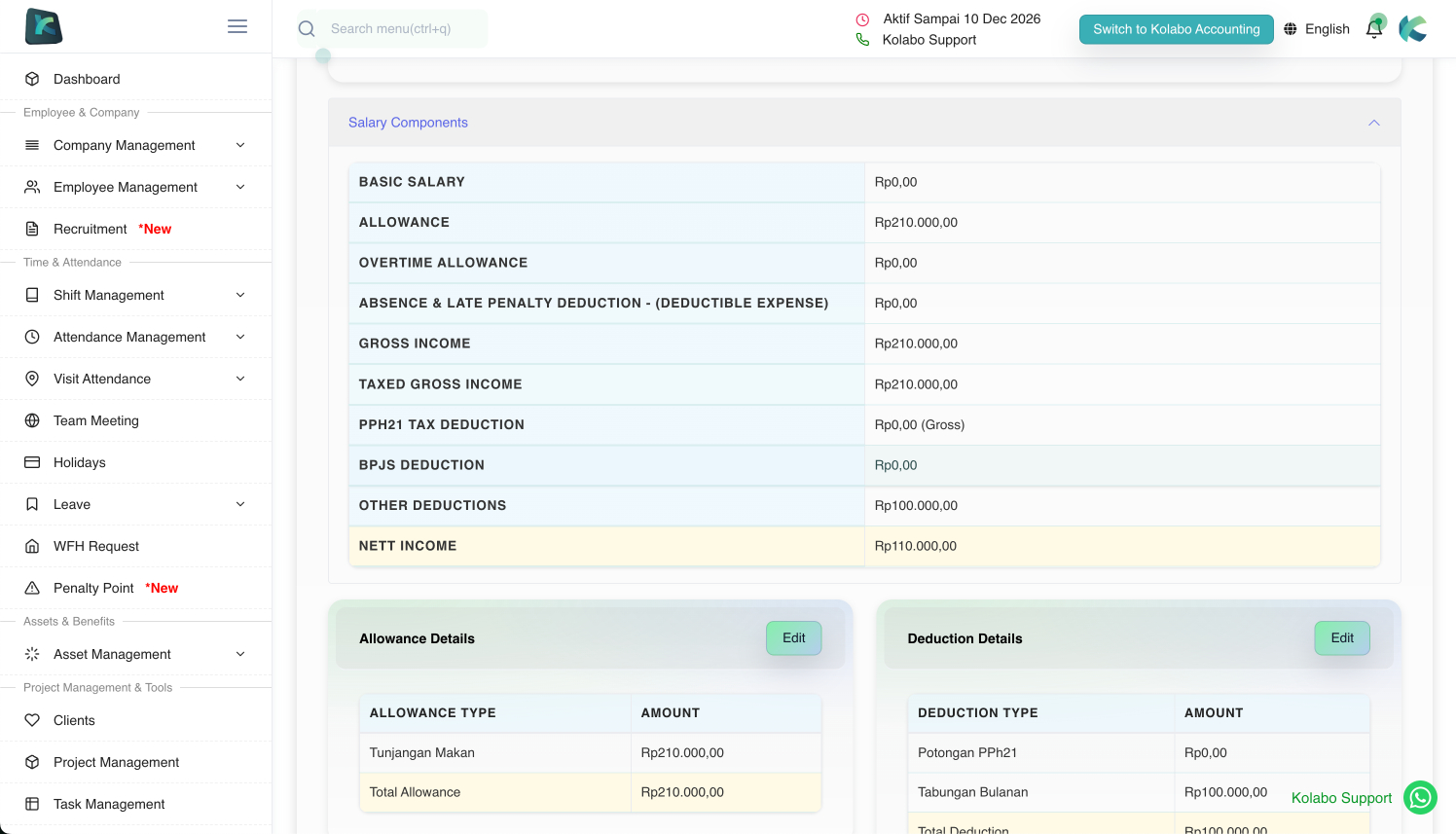
Automated salary calculation, taxes, allowances, deductions, reporting, and payslip generation in Excel/PDF.

Client & Leads Management

Comprehensive client database management—keep your client data ready for future opportunities.

Asset Management

Office asset management with full history of who used what and when—helpful to track and protect company assets.

Cooperative (Savings & Loans)

Set monthly savings amounts that automatically become payroll deductions. Employees can view savings history, apply for loans (auto-deducted in payroll), and withdraw savings via the app.

Kolabo Forms

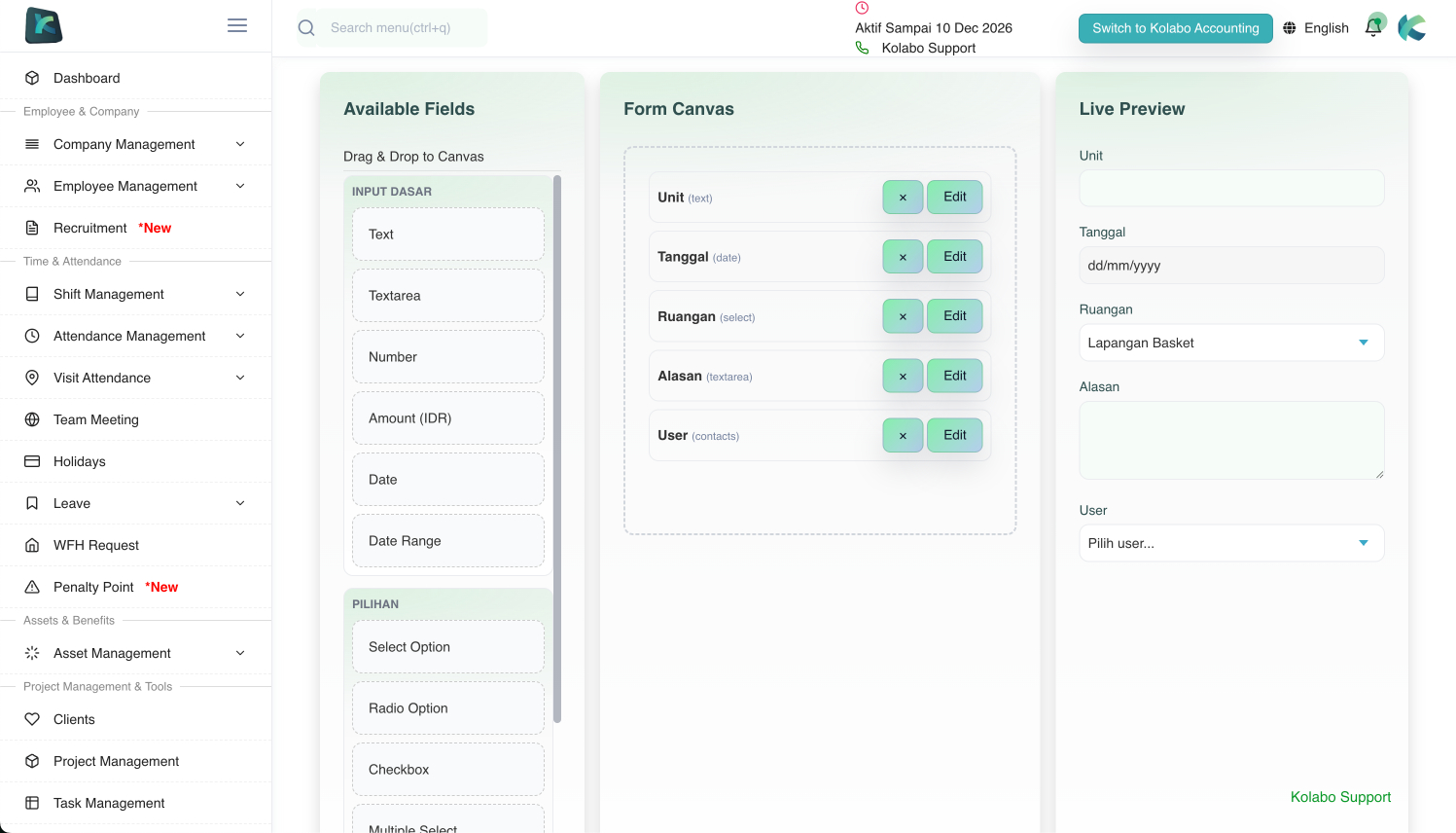
Create any form/submission quickly and flexibly (drag & drop). Supports various field types (text, number, date, checklist, dropdown, attachments) and lets you set approval flows.
Forms you create can be submitted by users via the mobile app in the “Kolabo Forms” menu.

Kolabo Terminal

Attendance via dedicated devices and NFC/ID cards provided by Kolabo, still synced with the Kolabo ecosystem—ideal for large companies so users don’t need to check in/out on their own devices.

Kolabo Cloud

Store large files in Kolabo Cloud integrated into the app, and control who can view, upload, edit, and download.

Kolabo Meet

Unlimited online meetings with Kolabo Meet on any device—and you can invite external users such as your clients to join.

Kolabo AI - Meeting Recap

Kolabo AI summarizes meeting recordings into key highlights, decisions, and action items.

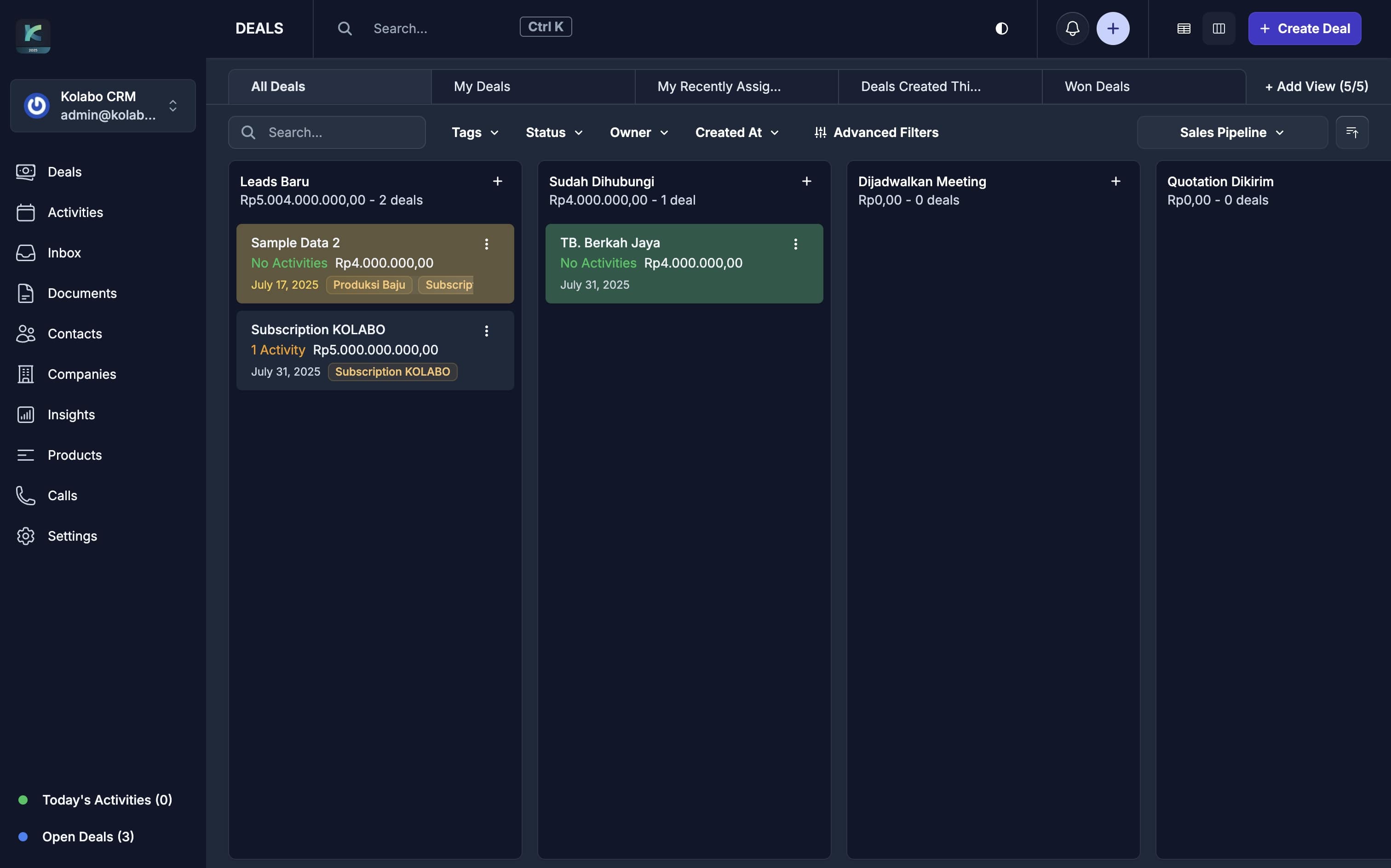
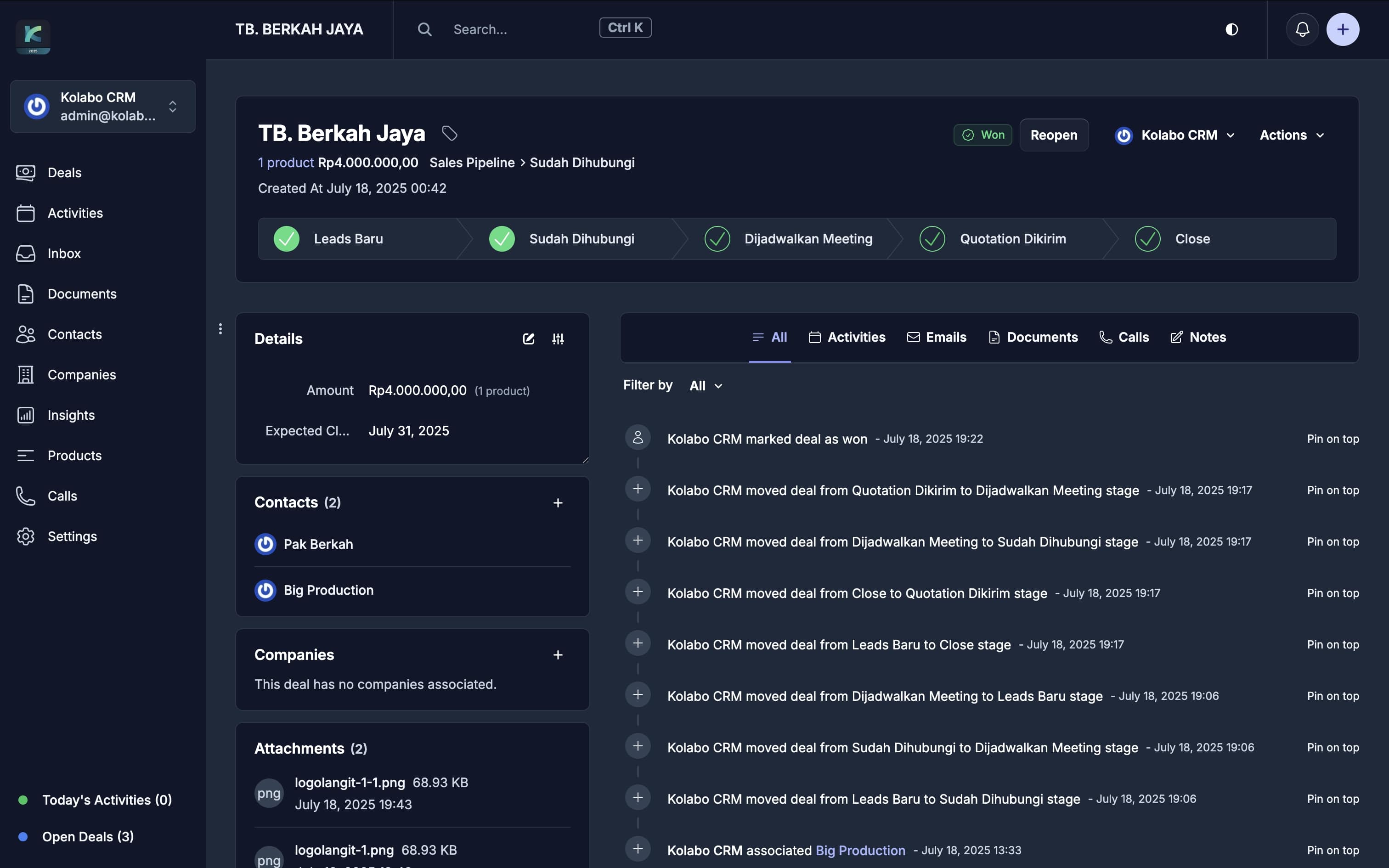
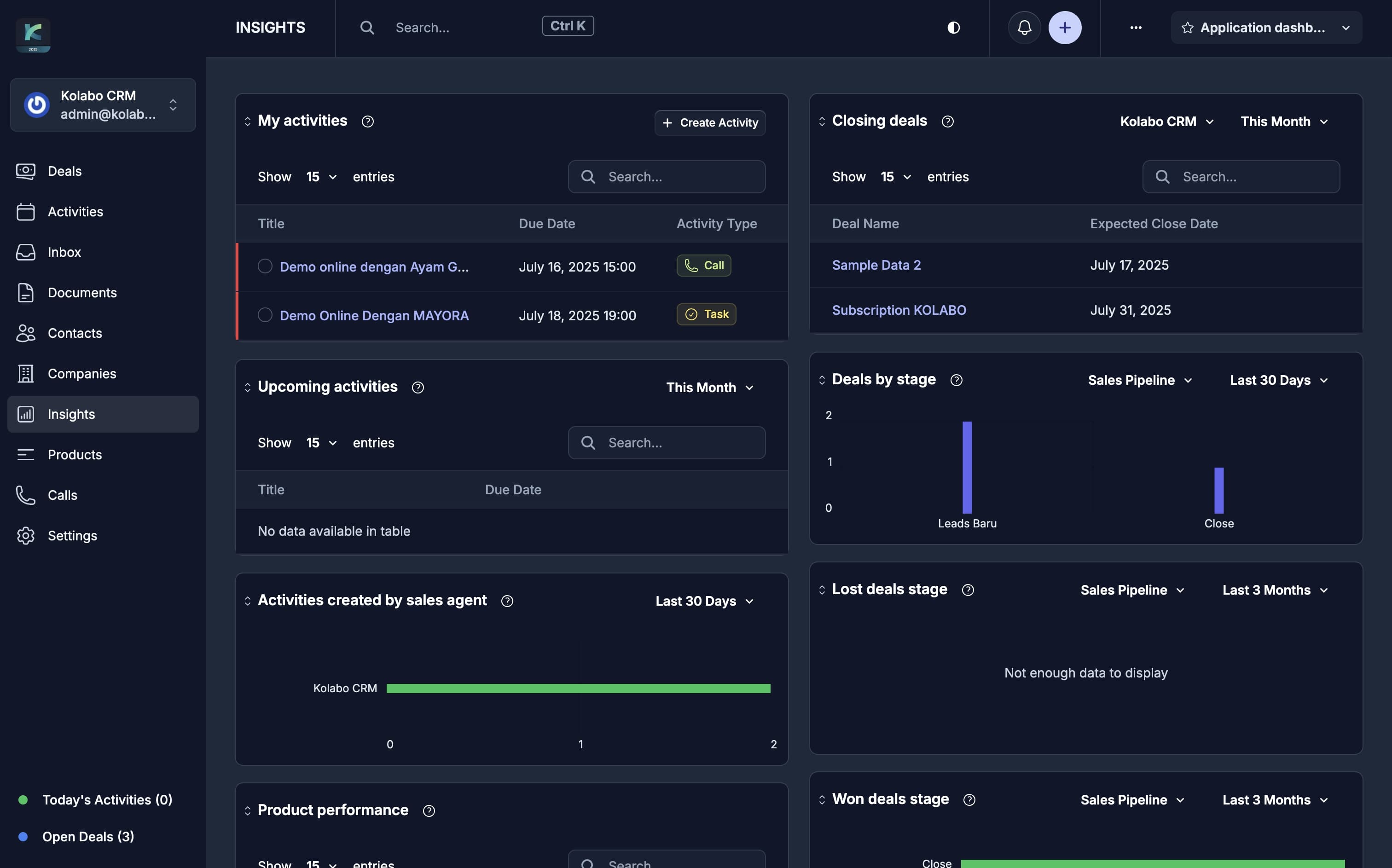
Kolabo CRM

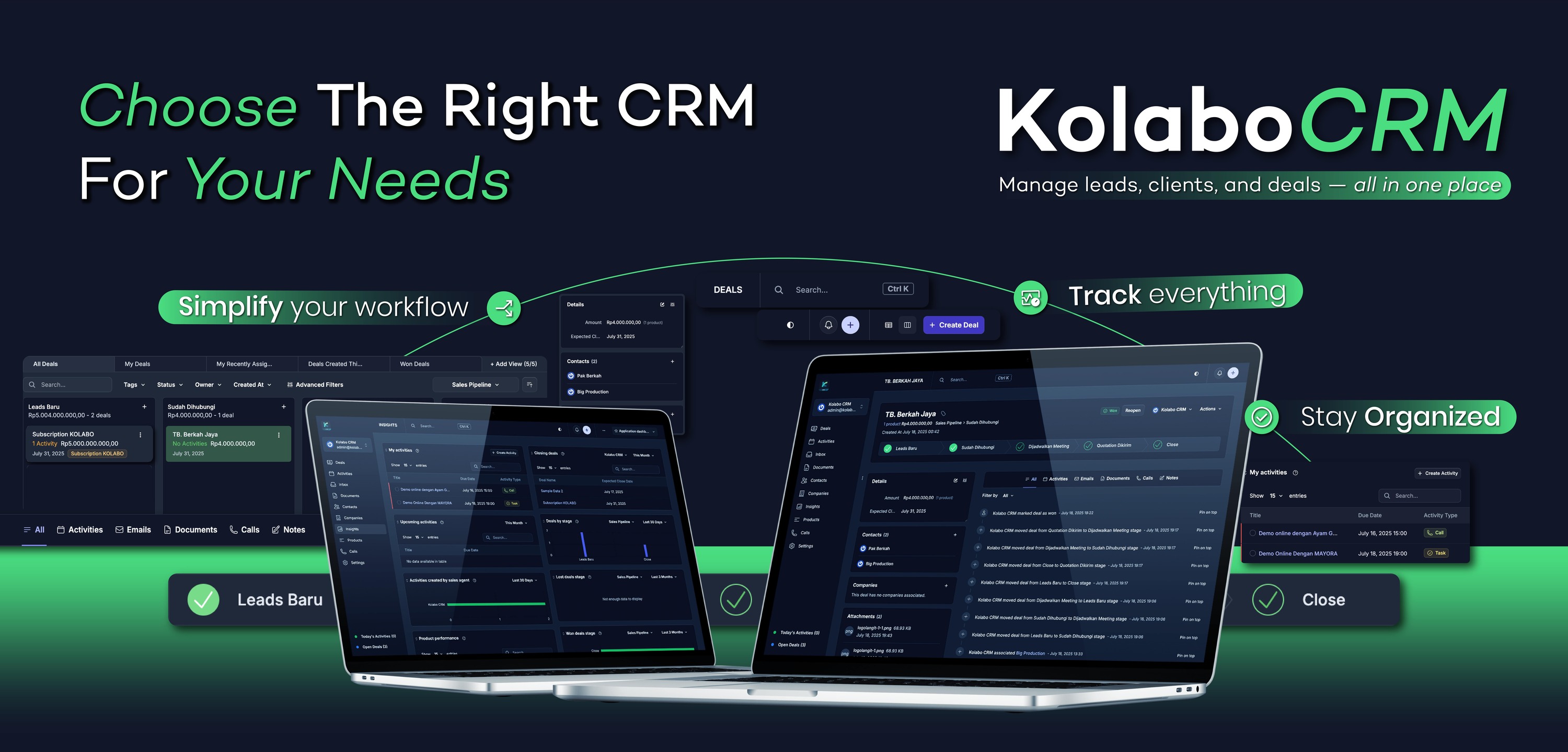
Manage contacts & leads, pipelines & deal tracking, automations & integrations, reporting & analytics.

Notifications

All activities in Kolabo are properly notified to users—for chat, projects, tasks, checklists, announcements, holidays, and more.

Reporting

Export all reports (attendance, employees, reimbursements, assets, projects, etc.) to Excel/CSV with customizable filters.

Private & Secure

We use premium private cloud servers dedicated per company, supporting thousands of users per company with daily backups. Kolabo is also equipped with modern end-to-end encryption.

Dedicated 24/7 Support

We will create a dedicated 24/7 WhatsApp support group for your company, with an SLA of up to 1 hour for response/solution.

Kolabo is the Solution

Kolabo has become the go-to solution for many teams and companies

Start using Kolabo today to improve your team’s productivity and performance. We also accept custom requests for companies that want to use their own private servers or need features not yet available in Kolabo.

Testimonials

What People Say

M. Fajar Aditia

Co-Founder, Omegatronik

"HRM by @kolabo.id — a complete solution for all employee management needs. Solid solutions and innovation!"

Mumtaz Afif Saleh

Account Manager, RAD Creative

"Kolabo has been a huge help for our internal operations—from attendance, reimbursements, employee and asset records, to project management. Highly recommended for your office."

Deddy Sujana

"Kolabo is incredibly useful for teams that want to work efficiently."

Trisno Cahyo

"Our team is more productive thanks to Kolabo."

📢 Kolabo Update Patch Notes

09 February 2026

Timesheet (Activity & Working Hours Tracking) — now available with a more accurate system to monitor employee working hours in detail, from productivity to labor cost estimates.

- Real-Time Timer (Start/Stop): Employees can start a timer when they begin working and stop it when they finish or take a break (Pause), recording work duration down to the second.

- Detailed Activity Log: Each timesheet records when the timer was started, paused, and resumed, making it easier for admins to validate working hours.

- Evidence & Attachments: When completing a task, employees can upload multiple files/images as proof of work along with a short summary.

- Linked to Services & Projects: Each time entry can be linked to a specific Service type or Project to simplify client billing and cost reporting.

- Task Management (Daily & One-time): Supports daily recurring tasks and one-time tasks. If a task doesn’t require a timer, employees can still submit manual completion reports.

- Timesheet Reports & Dashboard: Admins can view total team working hours per period, identify tasks that take the most time, and evaluate efficiency.

- Status Automation: The system automatically detects timers that are still Running or Paused to prevent missed or overlapping work hours.

- Timesheet Report Export: Admins can download working duration reports in Excel to analyze productivity, calculate workload, and support more objective performance reviews.

- Integrated with Task Checklist: Timesheet is now integrated with Task Checklists—turn routine tasks into time tracking by enabling "Use Timer", so each work progress is automatically recorded.

- Transparent History Log: Every activity records second-by-second status changes (when started, who started it, and when paused). This provides fair data for employees and management because it cannot be manually manipulated.

Quick start: Select a Task → Click Start Timer → Pause if needed → Stop/Finish → Upload Evidence & Add Summary → Submit → Admin Review & Approve → View Duration & Activity Reports.


05 February 2026

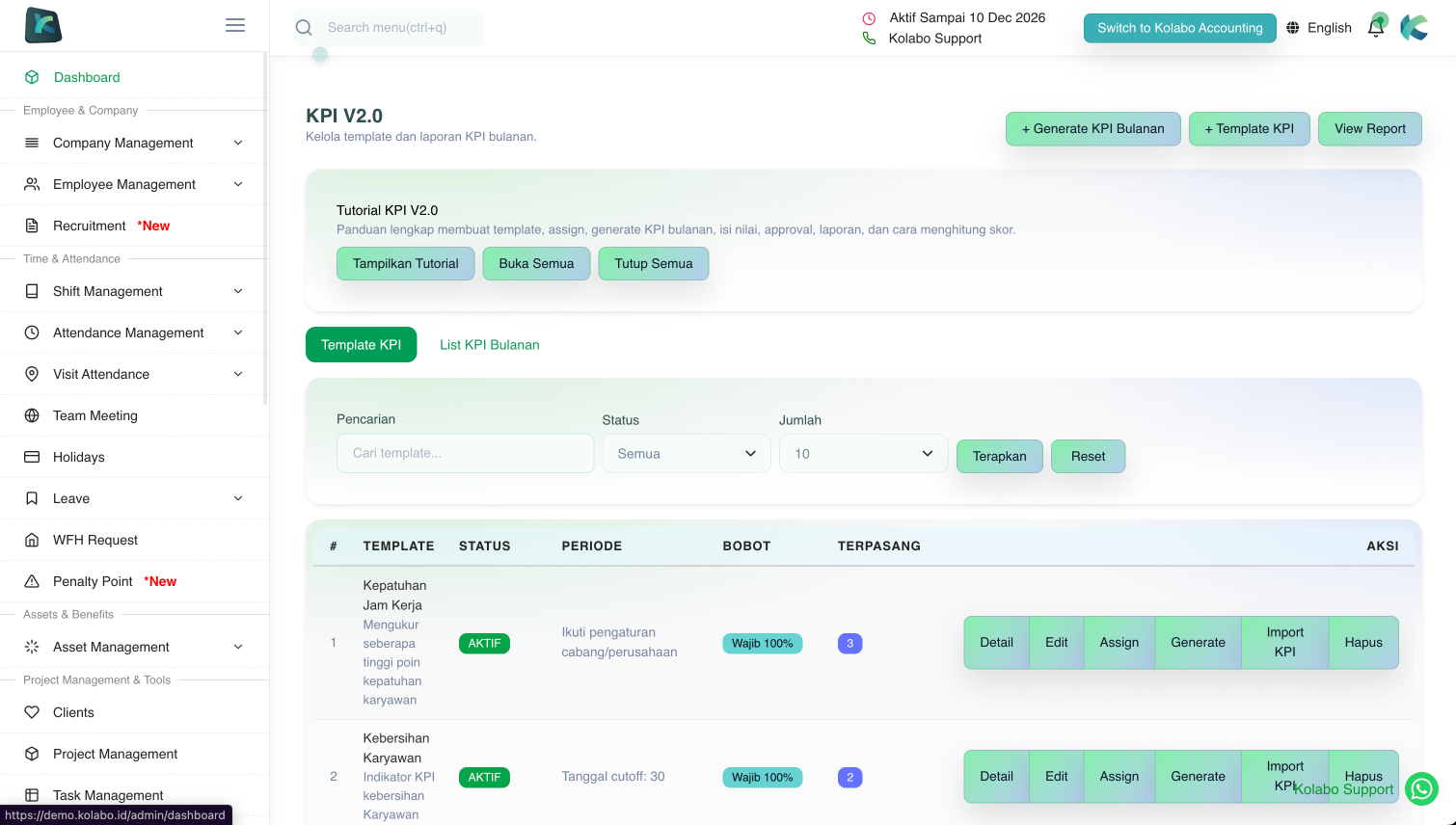
KPI V2.0 (Performance Evaluation) — KPI is now cleaner, more flexible, and includes easy-to-read reports to track employee performance over time.

- KPI Templates (Ready to Use): Admins can create evaluation aspect templates so they don’t need to re-enter them every time.

- Segmented templates: KPI templates can be created per user, department, or position/post (e.g., Sales KPIs differ from Finance).

- Automatic KPI generation: KPIs can be generated from templates for multiple employees at once for a selected period (saves time for routine reviews).

- Still customizable: After generating, aspects/indicators can still be edited/added/removed based on employee conditions or that period’s needs.

- Import KPI from Excel: Admins can download an Excel sample based on the template, fill the Actual column, then upload to mass-fill KPI values faster.

- Aspect/indicator-based scoring: Admins can define scoring points as needed (e.g., Discipline, Productivity, Timeliness, Teamwork, Work Quality, etc.).

- Supports weights & formulas: Each aspect can have a weight and optional formula for fair and automatic calculations.

- Clear evaluation periods: KPIs are created with a start date and end date so results don’t mix across periods.

- Automatic Total Score: Scores from each aspect are summarized into a Total Score automatically.

- More structured status flow: Draft → Submitted → Approved/Rejected for cleaner and accountable review.

- Safe history: Every change is logged (created/updated timestamps) for traceability.

- Monthly & yearly KPI reports: Summaries per period (month/year) to see performance trends.

- Top scores & rankings: Shows top-scoring employees per period (top 5/top 10) for evaluations, rewards, or promotions.

- Charts & insights: KPI includes charts for easier understanding (score comparisons, trends, etc.).

Quick start: Create KPI Template (user/department/post) → choose period → Generate KPIs in bulk or Import via Excel → adjust if needed → save (Draft) → submit → Approve/Reject → view monthly/yearly reports & charts.


06 January 2026

  • Penalty Points

    A feature to record employee discipline violations and (optionally) automatically calculate salary deductions based on company rules.

    • Rules: Admins create rules (e.g., Late ≥ X minutes → points + % deduction, Early checkout if working hours < X hours → points + % deduction, specific leave types → special penalties).
    • Sync (Pull Data): the system reads existing data, detects events that match rules, and stores results as logs.
    • Sync to Payroll: from the penalty recap, deductions can be automatically inserted into a selected payroll period.
    • Export: penalty recaps can be exported to Excel.

07 December 2025

  • View Data Permission

    Restrict certain roles from viewing other roles’ data (attendance, overtime, payroll, and other submissions).

  • Employee Attachments

    User/employee detail pages now support attachments + titles for storing documents (warnings, contracts, appointment letters, etc.).

  • Employee Contract Improvements

    Employee contracts support import and multiple periods to make history tracking easier.

  • Overtime Details on Payslips

    Payslips show overtime details (start, end, and approval status) per employee.

  • Custom Payroll Improvements

    Custom payroll can be used for severance/compensation slips, and separate THR slips.

  • BCA Payroll Export

    Payroll summary export now supports Bank BCA format.


30 September 2025

  • Visit Plan / Visit Route

    Require employee visits to match predefined geofence points/routes.

    • Mode ON: employees can only check-in/out at created & assigned points (within a radius). Outside/unassigned → rejected.
    • Mode OFF: employees can visit anywhere (no point/route validation).
    • Enable/Disable: App Settings → Visit Based on Route/Plan (default: OFF).

    Visit Plan / Route Management

    • Create Group (e.g., region/client/campaign) in Visit Plan.
    • Add Points (Geofence): set label, address (optional), lat/lng, and radius (meters).
    • Assign Users: select employees, set active period (start–end), and status.
    • Result: in Mode ON, visits are only accepted if the user is within the radius of an assigned point during the active period.

28 September 2025

  • Attendance Simple Export

    Additional recap fields: Total Attendance, Total Absences, Late Minutes, Early Departures, Overtime (hours).


23 September 2025

  • Custom Payroll Improvements

    Additional conditions when generating custom payroll: disable default basic salary from Payroll Account, disable auto attendance calculation, disable default allowances, disable default deductions.

    Recruitment Improvements

    Candidates per stage can be clicked and viewed to simplify shortlisting.

    Guides in Payroll Account and Payroll Management.

18 September 2025

  • Recruitment Module — Clear & Structured

    Manage job openings, candidates, and hiring stages through onboarding.

    • Jobs & Career Page: create/manage jobs, set publication, share a career link; admins can view job detail links directly.
    • Pipelines/Stages: set stages (Screening, Interview, Offering, etc.). When moving stages, remarks are required so decisions are documented.
    • Applications & Candidates: track applicants per job, action history, and candidate summaries (name, email, phone) + applied position.
    • Interview Invitations: message generator for Email/WhatsApp (date, time, timezone, location/meeting link, duration, notes) + auto log.
    • Offer & Onboarding: send offers, mark accepted, then onboard to create an employee account.
    • Quick flow: Create Job → Add Stages → Share Link → Review Applications → Move Stage (with remark) → Invite Interview → Send Offer → Onboard.
  • Kolabo Forms — Pending Approval List

    A quick view to see submissions that need approval soon.


12 September 2025

  • Kolabo AI — Meeting Recap (in the app)

    Summarizes highlights, decisions, and action items from meeting recordings.

  • Asset Depreciation

    Automatic monthly depreciation starting from the Purchased Date.

    • Methods: Straight Line, Double Declining, Rate (%), Fixed Amount.
    • Key fields: Useful Life (months), Salvage Value, Rate/Fixed (optional), Start Date (default = Purchased Date).
    • Result: month-end depreciation schedule, accumulated depreciation, book value; stops automatically when book value reaches salvage value.
    • How to use: Assets → Create/Edit → Depreciation → fill in → Save.

10 September 2025

  • Task Checklist (App): upload multiple proofs (images/docs) + summary when completing a checklist (requires latest app update).
  • Task Checklist (Dashboard): new modern task detail view, supports multiple evidence files.

9 September 2025

  • Generate Public Report Link (Client)

    A public link for clients to track project progress directly in the browser.

    • How to use: Clients → Generate Report Link → set (active, optional password/expiry) → Save → Copy Link.
    • Security: optional password, expiry date, rotate token to revoke older links.
    • Benefits: saves time, always up-to-date, revocable anytime, PDF export available.

8 September 2025

  • Multi Attendance Location

    Users/Staff can have multiple attendance locations (check-in/out), not just their main branch. Set via Employee Management → Edit → Additional Attendance Location (Branch).


7 September 2025

  • Kolabo Forms — Approver Self Selection: admins define who can approve; when filling a form, users select the approver (single / all depending on settings).
  • Kolabo Forms — Multi Layer Approval: staged approvals (Step 1, Step 2, etc.); auto-continues after approval; stops on rejection; can be combined with self selection.
  • Kolabo Forms — Notifications: notify approvers and related parties (in-app + push to phone); all notifications are stored.
  • Kolabo Forms — UI/UX Improvement: fields can be edited directly without deleting & recreating.
  • Kolabo Forms — New Fields: Money (IDR), Date Range (auto days count), Contact (pick employee), Formula (auto calc), Total (auto sum), Multiselect.
  • Kolabo Forms — Formula Fields: auto formulas between fields (e.g., field_1 * field_2 / 10000).
  • Kolabo Forms — PDF Export Improvement: shows final status (Approved/In Process/Rejected), approver order, attachments, and contact name.

3 September 2025

  • Client Management is now available via the app / app.kolabo.biz.
  • Company Logo is shown on the app home screen.
  • Visit Attendance History can be viewed directly by users in the app.

20 August 2025

  • Create Team Meeting in the dashboard is integrated with Google Calendar.
  • Kolabo Forms — Visibility: set forms for everyone or specific roles (“View Permission”).
  • Approval Status in PDF for Kolabo Forms.
  • Cash Advance is automatically deducted when payroll is generated (for approved/partially paid advances).

8 August 2025

  • Popup Banner (App): show image/banner to all users (requires latest app update).
  • Content Management — Rules & T&C: editor supports file uploads (requires latest app update).
  • Daily/Weekly/Date Range Payroll: create payroll outside cut-off dates with flexible dates.
  • Kolabo Forms (App): more detailed statuses; pending shows approvers, rejected shows reasons.

14 June 2025

  • Kanban Board is now available in Kolabo.
  • Project View Switch: you can switch back to “List” view.
  • Kanban per Client: each client can have its own board, flexible.
  • Project Location Info in Board will be shown in app/web (Coming Soon).

13 June 2025

  • Kolabo Forms — Repeatable Dynamic Fields in every field.
  • Kolabo Forms — PDF Export for every submission (formal format).
  • Download Submission PDF via the app.
  • Assets — QR Code can be scanned in the “Assets” menu.

25 May 2025

  • Self Shift Change: allow users to change their own shifts via App Settings (“Users Can Change Shift or Office Times Themselves”); change via latest app (Home → “View Office Time”).

23 May 2025

  • Kolabo Forms is here! Create submissions freely, receive submissions via the app, and set approval logic.

11 May 2025

  • Late Penalty: can be interval-based/fixed + daily cap (e.g., 15-minute interval = each 15 minutes counts as one penalty unit).
  • Task Checklist (App): add photo evidence when a checklist is completed (requires app update).

4 May 2025

  • Branch Payroll Cut-off Date: if empty for a branch → follows the company cut-off date.
  • Non-Fixed Allowances: prorated based on total working days divided by attendance days.

26 April 2025

  • Supervisor: approve/reject subordinate overtime, leave, and reimbursements.
  • Shift Management / Monthly Office Time: set different working hours per date per user (Import Monthly Shift).
  • Overtime Requests (App): automatic popup when checkout exceeds office time; also available via “Overtime” menu.

7 March 2025

  • Task Based on Target: task progress based on achieved qty/amount targets; users update progress via the app.
  • HR Dashboard: added charts for education level, skills/certifications, contract type, gender, and age.
  • Project & Task Management: added bar chart and speedo chart.

5 March 2025

  • Cooperative / Savings & Loans (Backend & App): set monthly savings (auto payroll deduction); view savings history, apply for loans (auto deduction), and withdraw savings via the app (requires update; super admin approval).
  • Attendance Requests (Backend & App): employees can request backdated attendance; approved requests become attendance data for the specified date/time.
  • Leave (App): supports file attachments (not just photos).
  • Other: various app fixes (update to the latest version).

9 February 2025

  • Multi Company / Sub Company (Major Upgrade): manage holding & subsidiaries; employee, payroll, projects, reimbursements, leave, meetings, chat, etc. are separated per company.
  • Company Filters across all modules.

28 January 2025

  • Projects can be created/edited via the app (latest app update).
  • Tasks can be created/edited via the app.
  • Checklists can be created/edited via the app.
  • Clients: adding clients is still via backend (coming soon).
  • Leave Allocation: set allocation per employee.
  • WFH Requests, Visit Expenses, Cash Advances: available via the app (latest app update).
  • Overtime History: available in the app.

9 January 2025

  • Attendance with Photo: option to check in with a photo (enable in App Settings; requires latest app update).
  • Cash Advance (App): request via the app (latest app update).
  • Holiday Overtime: can be done without checkout.
  • WFH Request: allow check in/out anywhere on approved dates (backend now; will come to mobile soon).

29 December 2024

  • Kolabo Accounting is here! See it in the sidebar/top-right on the dashboard.
  • Existing Accounting Users: contact Kolabo Support for setup assistance.
  • Visit Attendance: available in the app and backend (update your app).

23 December 2024

  • Shift Management: working hours & holidays per employee.
  • Daily Tasks: check “Is Daily Task” + choose day → tasks auto-generate on selected days.
  • Asset Management: QR code, relations to project/task/employee, usage status.
  • Storage & Item Management (New Module): stored items + add/edit/move history.
  • Client Visit (New Module): visit attendance for field team tracking (Coming Soon).
  • Visit Expense / Per Diem: log business trip expenses per date range & amount.
  • Roadmap: more modules & improvements coming; Accounting module launched in 2025.

Kolabo continues to strive to be your best partner—features will keep improving so your company can be managed in one app.

Let's get in touch

We will reply to your message as quickly as possible.

18 Office Park Building, Jl. TB Simatupang No.Kav. 18 21th Floor Unit C, Kebagusan, Ps. Minggu, Kota Jakarta Selatan,
Daerah Khusus Ibukota Jakarta 12520

info@langitcreative.solutions

+62 821-2588-6584

Halo...

Tim Kolabo Siap Membantu Anda

Sales (Online) Valentina Febriyanti
6282125886584
Sales (Online) Safnah Putri
6281385240669
Hello! What can I do for you?
×
Let's Discuss